iPhone 14 Random Restart Diagnosis
SMC Panic 0x200000 Code & Proximity Sensor Flex Failure
If your iPhone 14 or 14 Plus keeps restarting automatically exactly every 3 minutes, you are dealing with a critical hardware timeout. Unlike software glitches, this fixed-interval reboot loop is triggered by the system's Watchdog timer failing to read from a designated sensor. This guide explains how to identify the SMC PANIC 0x200000 error, what component is failing, and how to permanently fix it.
CRITICAL COMPONENT FAILURE
Earpiece/Proximity Sensor Flex Cable Replacement
Confidence: 90% - The 0x200000 code on the iPhone 14/14 Plus strongly points to a proximity flex cable failure.. Use our diagnosis tool
The Technical Cause: SMC Panic and Watchdog Timeout
In modern iPhones, the System Management Controller (SMC) actively monitors thermal profiles, battery health, and sensor statuses across I2C buses. The front earpiece flex cable integrates the microphone (Mic 3), ambient light sensor, and proximity sensor. Every 180 seconds, the iOS Watchdog Timer demands a status report from these sensors. If the flex cable is damaged (due to drop impact or moisture) and Mic 3 fails to respond, the SMC asserts a kernel panic as a safety measure. The resulting crash halts the system immediately, presenting as a random reboot.
MATCHED EVIDENCE FROM SYMPTOM CHECK
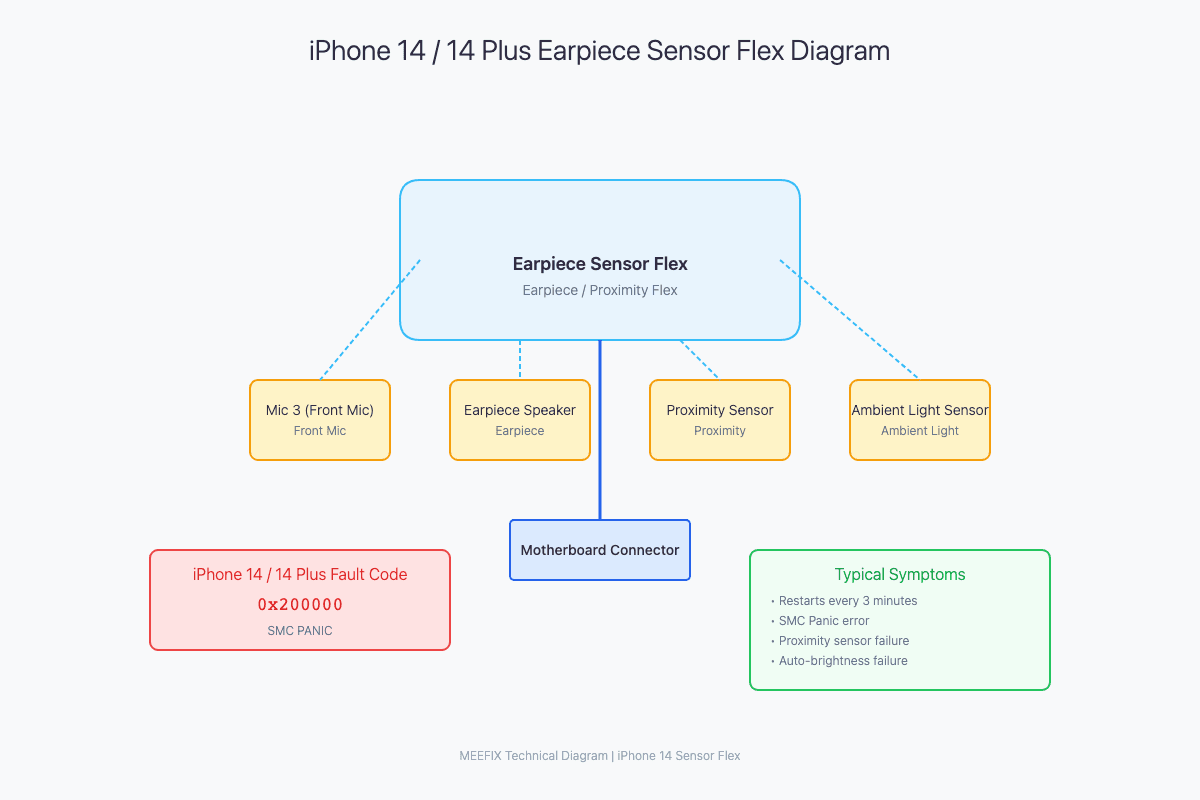
Identifying the 0x200000 Panic Log
Go to Settings > Privacy & Security > Analytics & Improvements > Analytics Data. Look for a log file starting with 'panic-full'. Scroll until you see the 'Sensor Array' section.
SMC PANIC - ASSERTION FAILED
Sensor Array: 0x200000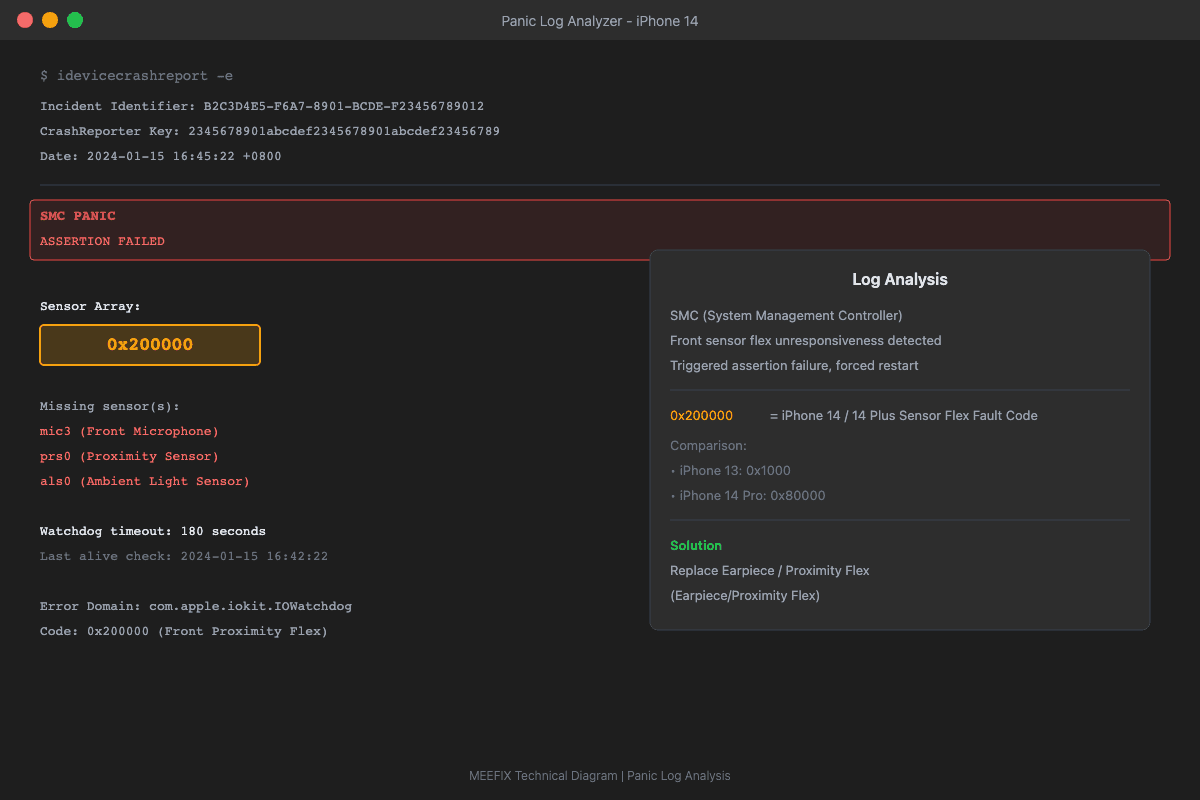
Repairing the iPhone 14 Sensor Failure
The solution requires replacing the entire earpiece and proximity sensor flex cable assembly. Fortunately, since the Face ID flood illuminator is separate from this specific cable, you will not lose Face ID functionality when doing a standard replacement.
Want a More Precise Diagnosis?
Use our interactive diagnostic tool to narrow down your device's issues. By answering a few specific questions, we'll help pinpoint the exact failure point.
START FULL DIAGNOSISOther Possible Causes
WHILE LESS LIKELY, THESE ISSUES COULD ALSO CAUSE SIMILAR SYMPTOMS