iPhone 14 Pro / Pro Max Random Restart Diagnosis
SMC Panic 0x80000 Code & Proximity Sensor Flex Failure
Experiencing an iPhone 14 Pro or Pro Max that reboots precisely every 3 minutes? This relentless reboot cycle is incredibly frustrating but highly diagnosable. If the Panic Log displays a 0x80000 error code, it isolates the hardware failure specifically to the earpiece/proximity sensor flex cable assembly. This guide covers how this failure interacts with the new Dynamic Island and how to resolve the SMC PANIC.
CRITICAL COMPONENT FAILURE
Earpiece/Proximity Sensor Flex Cable Replacement
Confidence: 90% - The 0x80000 code on the iPhone 14 Pro series specifically identifies a loss of communication with the top proximity flex assembly.. Use our diagnosis tool
The iPhone 14 Pro: LiDAR, Dynamic Island, and Sensor Mapping
The iPhone 14 Pro series introduces significant changes to the sensor architecture to accommodate the pill-shaped 'Dynamic Island'. Due to the relocated ambient light sensor (now behind the display panel) and the additional LiDAR sensors, the memory address mapping for the sensor array differs from the standard iPhone 14. Therefore, when the iOS Watchdog Timer fails to receive a signal from the proximity flex cable (typically due to physical stress, liquid damage, or trace breakage), the SMC kernel panic reports code 0x80000 instead of 0x200000. This panic halts the CPU, causing the 180-second reboot cycle.
MATCHED EVIDENCE FROM SYMPTOM CHECK
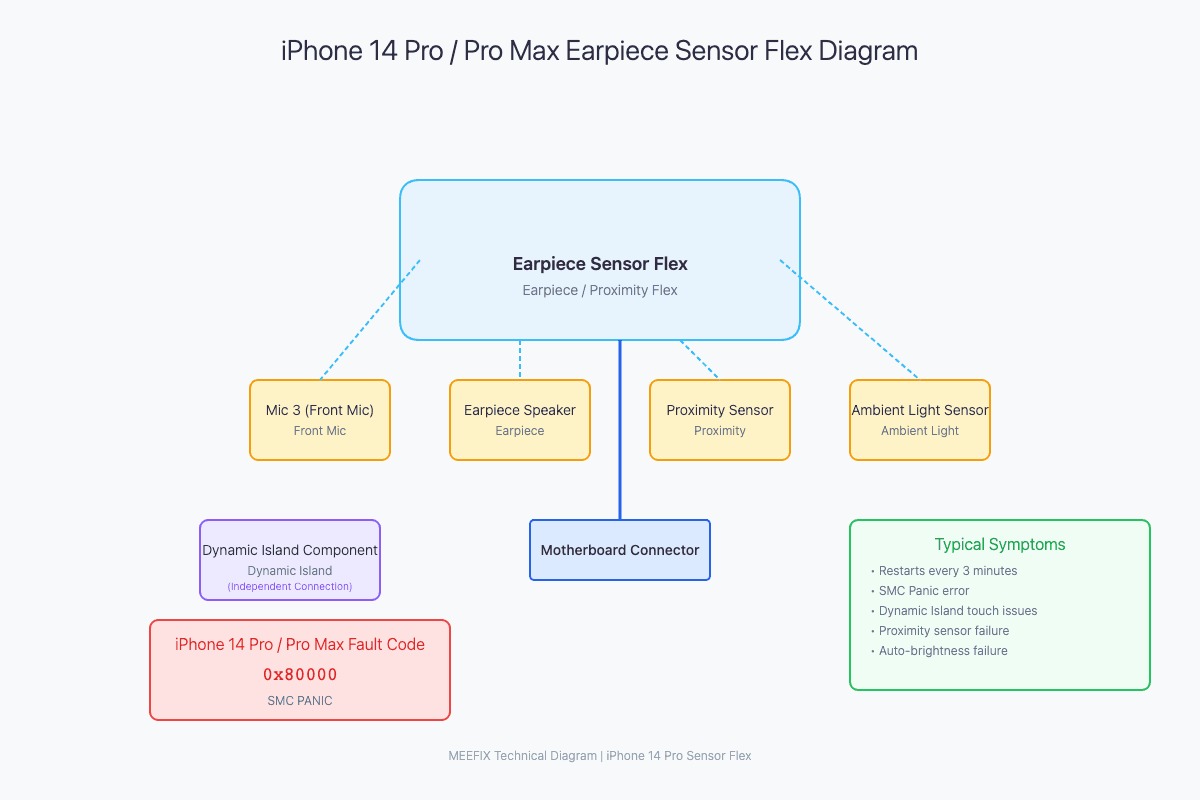
Verifying the 0x80000 SMC Panic
Read the Panic Log via Settings > Privacy & Security > Analytics & Improvements > Analytics Data. Find 'panic-full' and look closely at the Sensor Array value.
SMC PANIC - ASSERTION FAILED
Sensor Array: 0x80000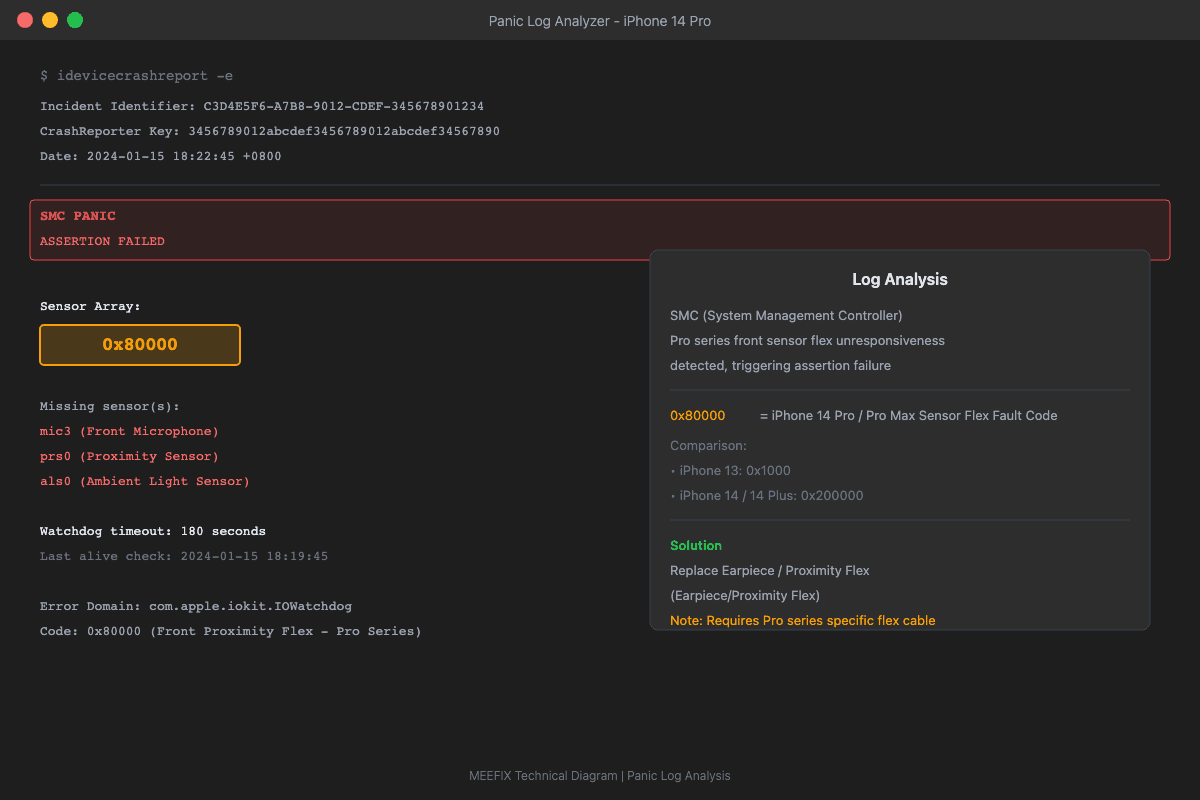
Fixing the iPhone 14 Pro Reboot Issue
Replacing the earpiece and proximity sensor flex assembly fixes the kernel panic and stops the 3-minute reboot cycle. Take extreme care during the teardown, as the flex cables around the Dynamic Island are fragile.
Want a More Precise Diagnosis?
Use our interactive diagnostic tool to narrow down your device's issues. By answering a few specific questions, we'll help pinpoint the exact failure point.
START FULL DIAGNOSISOther Possible Causes
WHILE LESS LIKELY, THESE ISSUES COULD ALSO CAUSE SIMILAR SYMPTOMS